Web Animation

Good websites move a bit. A heading slides into place, an icon draws itself, a number counts up while you scroll past. Most of it is built in code rather than video, so it weighs next to nothing and stays sharp on any screen.

Animation

You can usually tell within a second or two whether a website has had any money spent on it, and a fair bit of that comes down to movement. Not too much of it, and nothing flashy. A heading that slides in, an icon that draws itself or a counter that runs up to a number while you scroll past. Get it right and most people won't consciously register it. Get it wrong and they'll be irritated without being able to say why.

Most of what we build is written in code and SVG rather than exported as a video file. It shows well on any screen size, adds almost nothing to the page weight and it can react to what someone is doing with their mouse or their thumb. Video is still used in the right circumstance. If you need real footage or photographic detail then you use video and you compress it properly. But for most effects on a normal business site, code is lighter and it looks better.

Some examples

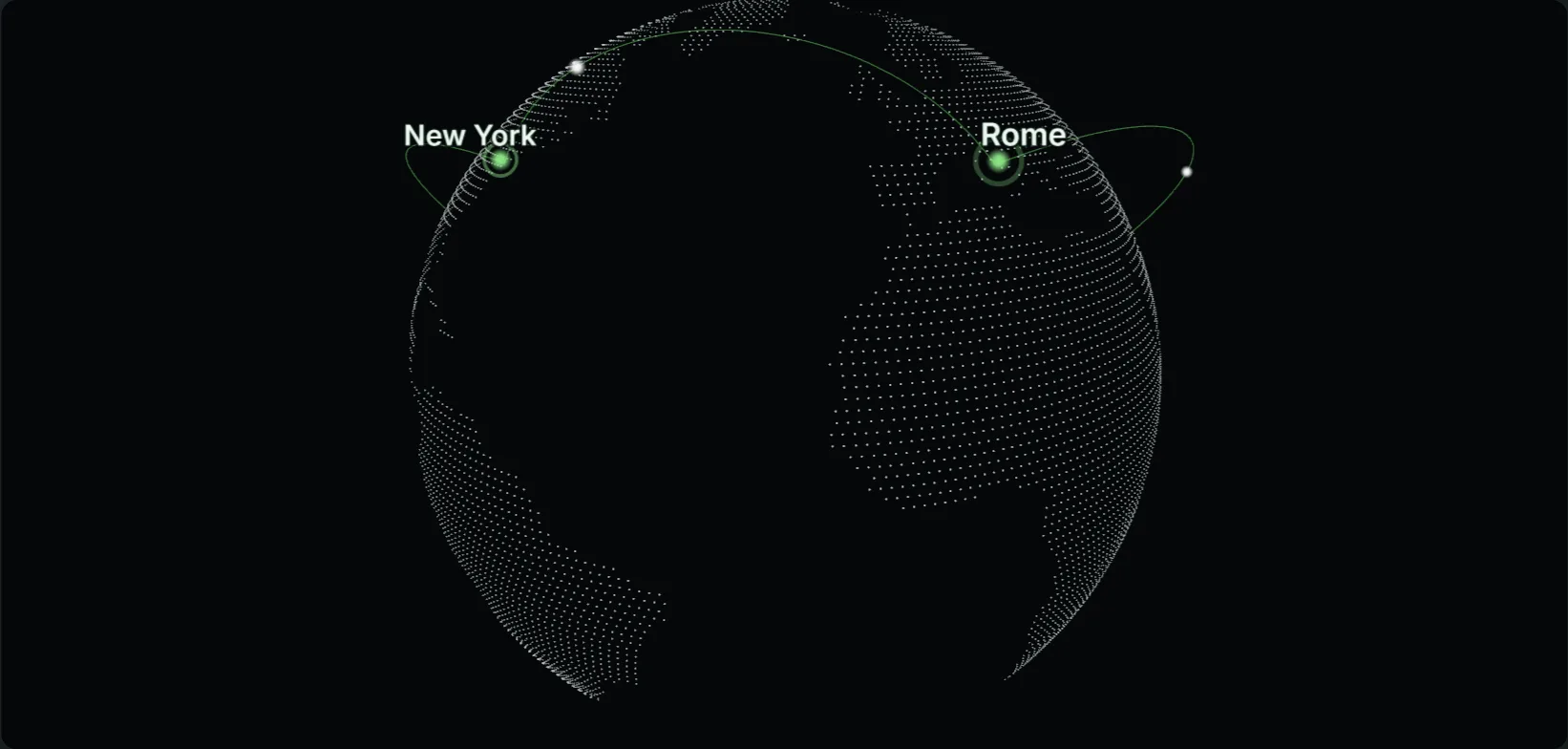
The logo and polaroid animate when they scroll into view, or you can hit the replay button to view again. The motion tracking footage is a normal video, with graphics added. The globe is code, you can drag it around, zoom in on it.
Pot plant

Polaroid capture

Animated Logos

Motion Tracking Graphics

Here's an example of video scroll animation. Keep scrolling and the clip below moves along with the page, a frame at a time. Scroll back up and it runs backwards.

Scroll to play, it moves with the page.

Same original video clip, two ways of doing it

The scroll clip above is the quick version. It's one video file with its playhead synced to your scroll position, which takes barely any code. The issue is that the browser has to go hunting around inside a compressed video every time you scroll a few pixels, which is not efficient. On a phone it can judder. Everyone who lands on the page also downloads the whole file, whether they scroll that far or not. Not great for SEO

Below is the better version, which is similar to what Apple does on its product pages. We export the clip out as a run of still images and paint them onto a <canvas> one at a time as you scroll. Browsers are very good at drawing still images, so it stays smooth going up as well as down, and the page only loads the frame sizes your screen actually needs.

Quick version · video scrub

7.8 MB You download the entire MP4 to watch it once, and it may stutter, because the browser is seeking around inside compressed video.

Better version · frame sequence

2.0–3.3 MB You only load the frames your screen needs, about 2.0 MB normally in WebP. Still images are cheap to draw, so it stays smooth.

The third way. Scrub a real 3D model

Both versions above are, in the end, pictures of a thing. A third option is to put the actual object on the page and move it by scrolling. The model below is a 3D laptop built in 3D modelling software, lit in the browser and moved by your scroll position.

It is the lightest of the three at around 1MB. The reflections move because the object moves. The lighting is built rather than filmed. Scroll to view

Keep scrolling. The model turns and opens with the page. 14,000 triangles, built in 3D modelling software and exported to glTF.

Why we bother

The quick way saves us time and you money. The other way saves everyone else's data and patience. Given the choice we'll usually spend the extra time to do it properly to avoid technical glitches while providing better SEO.

What it's actually for

Movement is useful for pointing people at things. Your eye follows it, so if there's something you want read next, a bit of motion is a good way to get someone there. A button that reacts when you press it feels better than one that just processes a command. Animate important aspects of the site, don's just animate for the sake of it.

Two or three well chosen moments will do more for a page than twenty.

The sort of thing we build

It's mostly these five, and usually only two or three of them on any one site:

  • Scroll reveals. Things fade or slide in as they come up the screen, whether that's an image, text or video.
  • Microinteractions. Buttons, toggles and form fields reacting when you hover or tap them. Small stuff. You notice it more when it's missing than when it's there.
  • Hero and background motion. A hero element that follows your cursor, a logo that assembles itself as the page loads, a slow moving background.
  • SVG and icon animation. Line icons that draw themselves, illustrations that build up stroke by stroke. All vector, so it stays sharp at any screen size.
  • Transitions and loading states. Something to look at while the page is thinking. Loaders are boring, but a dead white screen is worse.

Some people can't deal with motion

Plenty of people get headaches or motion sickness from things moving on screen, and phones and computers have a setting for it called reduced motion. We can build checks for that setting and have a backup when it's switched on. We also make sure nothing important is only ever communicated by an animation. Turn the whole lot off and the page still reads properly and still works.

How we work out what to do

We start by asking what the page is actually for, what message you are trying to convey and what benefits animation would bring. We discuss with you the options and build prototypes where necessary. Changing things afterwards is relatively cheap. Slowing an animation down, or dropping one entirely, is a code edit rather than a reshoot of a video.

It isn't always an expensive thing to add, and it's one of the few details people register without being able to explain why. Just keep it small.

Natiive Digital

Thinking about adding some?

Tell us about the page and we'll point out a couple of places where a bit of movement would genuinely help, and the places it wouldn't. You'll get a preview link to look at before anything goes near your live site.

✓ Code first, video where it makes sense
✓ Works with reduced motion on
✓ Easy to change later