Let people walk through your space.
Give them more than an image and let them be in control of what they view.
Virtual Tours
By the Natiive team•22 May 2026•7 min read
Most websites still sell a space the way real estate listings did in 2005. A few
carefully cropped photos, the good angle on the lounge, the good angle on the kitchen,
and you fill in the rest yourself. That was fine until competitors started putting up
360° walkthroughs. Now a photo gallery just looks like you couldn't be bothered.
Here's what a tour involves, what goes into one, and why the couple of hours of
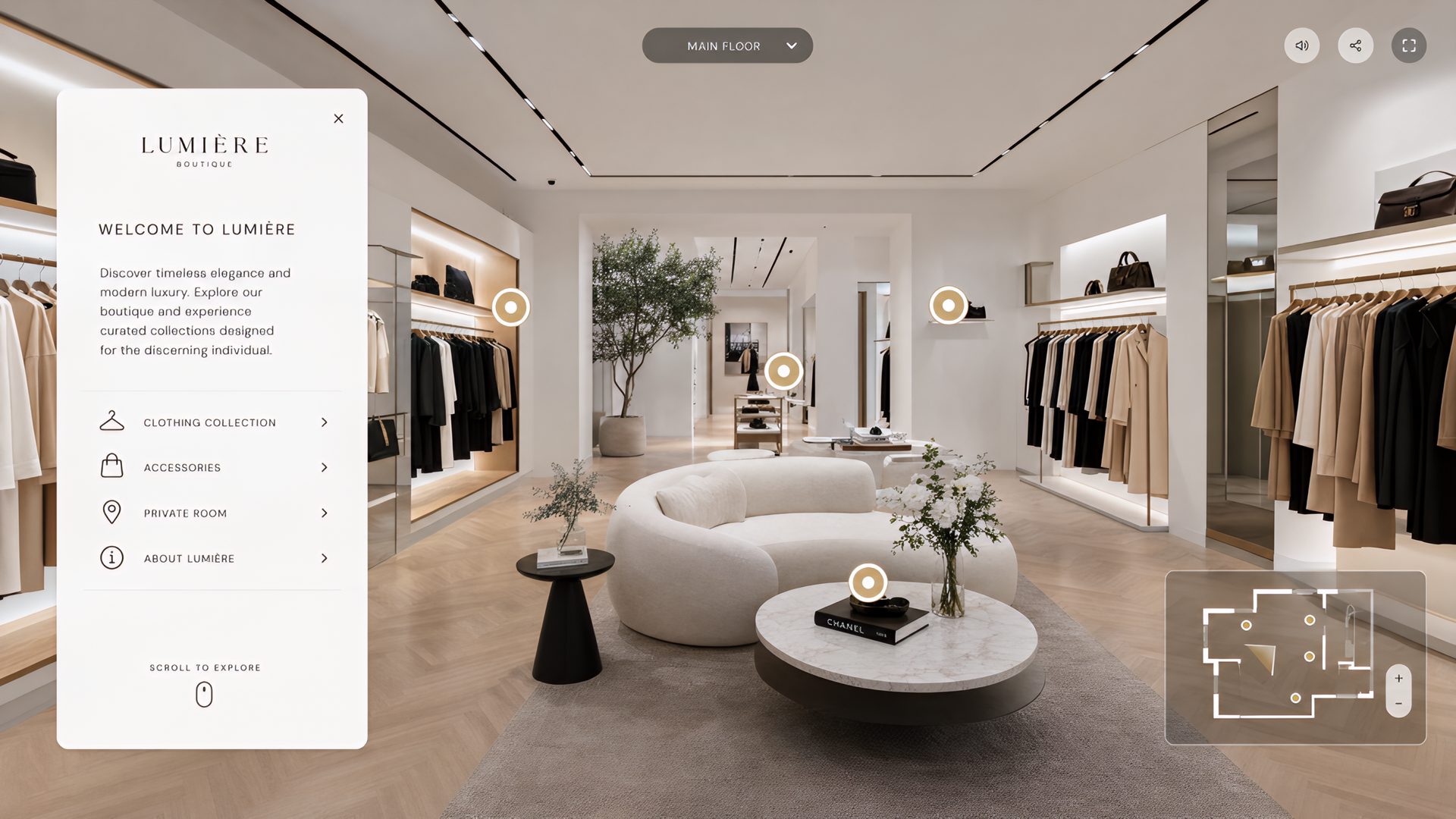
shooting is usually worth it. The tour below is an example of what can be done with a 360 tour. Drag it around, click the
hotspots, open the floor plan, click the embedded links. That's what your customers expect in 2027.
Example tour. Drag to look around, click hotspots to
move between scenes, open URLs and load objects.
Why a tour beats a gallery
What photos can't do is give someone the feeling of being in the room. In a tour,
people stop looking at what you chose to show them and start looking at what they
want to see. Whether their sofa would fit in that corner, what's out the window, how
far the kitchen is from the door. The bit of scuffed trim behind the counter, which
they'll notice anyway when they visit. Visitors come out of a tour knowing the
layout. They come out of a photo gallery having seen some photos.
This matters most where the space is a big part of what you're selling:
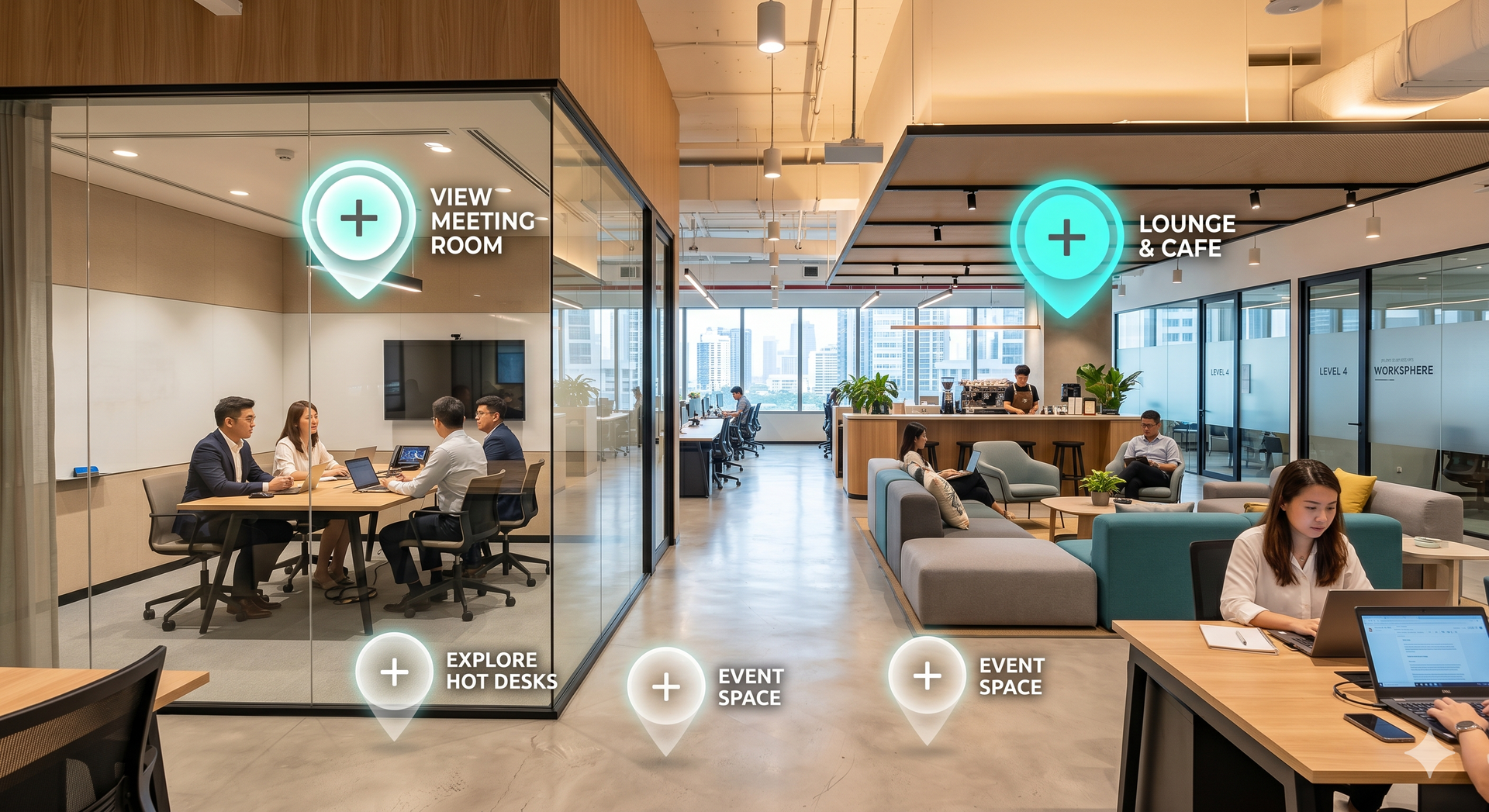
Offices and coworking. Tenants and new hires want to see the
meeting rooms, the facilities and the actual desk they'd be sitting
at.
Gyms and studios. The weights floor, the cardio area, the
change rooms. Half of that decision is just "do I want to spend time here?"
Restaurants, cafés and bars. People book on atmosphere. A 360°
look at the dining room, the bar and the courtyard will do more for a Saturday
booking than another photo of the food.
Hotels, motels and short stay. Guests booking a room they've
never seen in real life tend to pay more and complain less if they've already walked through
it online.
The same tour engine handles serviced offices and boutique gyms
equally well. We just change which hotspots go in.
What's actually in one?
Once the 360 degree panoramas are stitched together, the interesting part is the layer on top.
A finished tour can include any of this. We pick based on what you're trying to get
people to do:
Hotspots. Pinned dots that move people between rooms, open an
info panel, play a video, launch a booking form, or link out to your menu or
portfolio.
Floor plans. A mini map in the corner showing where someone
is standing, with a pin that swings round to match where they're looking.
Embedded video. Either inside an info panel, like your head
chef talking through the tasting menu, or as a full video panorama where a still
image would undersell it.
Audio. Narration, background ambience for a scene, or one
welcome message that plays when someone arrives.
Other languages. One tour, one URL, every label translated.
Handy for hospitality, tourism and education.
Lead capture. Put a form in front of a premium scene like the
penthouse or the private dining room, so the tour brings in enquiries by
itself.
Hotspots, floor plan navigation and info panels. This is what makes
it a tour rather than just a panorama you can spin.
People come out of a tour knowing the layout. They come out
of a photo gallery having seen some photos.
Google Street View
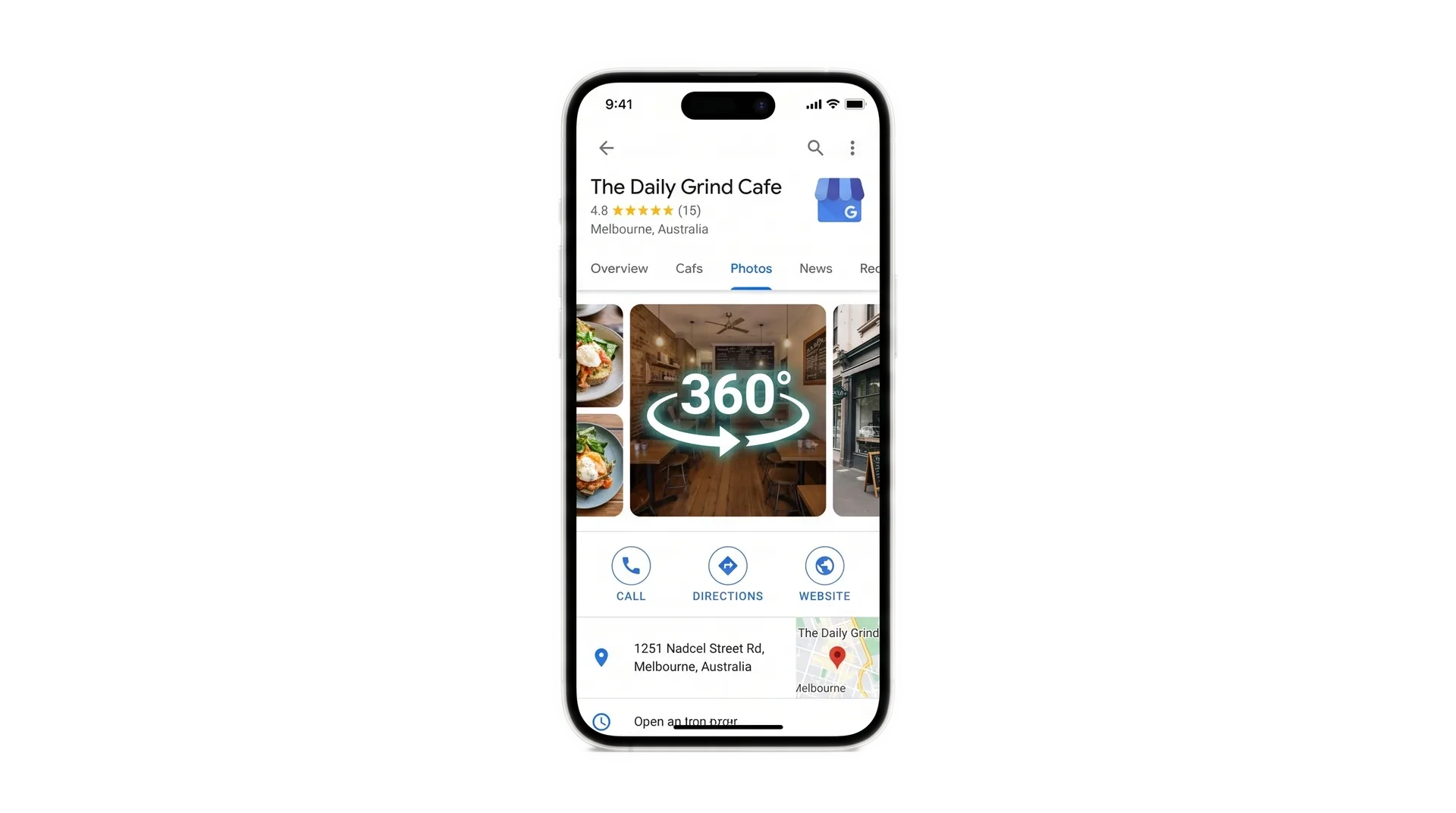
Embedding it on your website is the obvious use. The same panoramas can go up as a
Street View tour on your Google Business Profile, where they stay on your listing indefinitely.
Profiles with a tour generally get more clicks, calls and direction requests than
ones with only photos. The tour turns up in the photo carousel on your Business
Profile, on Maps when someone "steps inside", and in Search when they look you up by
name. Google likes a complete profile, and a complete profile helps with the Map Pack
rankings the rest of your local SEO is chasing anyway.
See inside on a Business Profile, the second home
for the same panoramas we shoot for your website.
How a 360 shoot runs
We come to you. Beforehand there's a quick walkthrough, usually a ten minute video
call, to sort out the shot list, decide which rooms get hotspots and confirm what
you're getting. On the day we bring the tools and work
around your trading hours so your customers aren't tripping over us.
A small business (café, salon, single floor studio) can be done in under two
hours. Bigger venues may take half to a full day. After that it's a few days of
studio work: colour grading, stitching, wiring up hotspots, setting up the floor plan,
narration if you want it, then a preview link for your feedback. Once you're
happy we embed it on your site and publish the Street View version to your Business
Profile, usually the same week.
That's the whole job. If you've been meaning to get one done for a while, the only
real argument for doing it now rather than later is that they work best while your
competitors still haven't got one.
Want people to walk through your space?
Tell us about your business and the space you want captured. We'll come out, shoot the
panoramas, build the tour and publish it to your website and your Google Business
Profile.